Computer Networks Explained: From OSI Model to Network Security
A deep dive into computer networking. Explore the OSI model, TCP/IP protocol, advanced routing, switching techniques, and essential network security strategies.
Table of Contents
1. Introduction to Networking
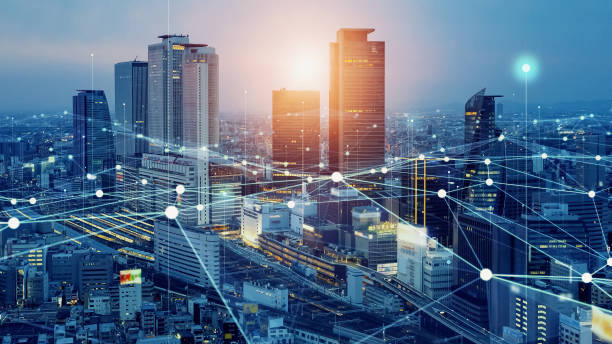
A computer network is a collection of computing devices interconnected by telecommunication technologies for the purpose of sharing resources, data, and communication services. Networking is the invisible nervous system of the modern world, connecting local area networks (LANs) to the vast expanse of the internet.

2. The Foundation: OSI vs. TCP/IP Models
To enable communication between heterogeneous systems, networking relies on standardized models.
The OSI Model (Open Systems Interconnection)
The OSI model breaks network communication into seven distinct layers, each with specific responsibilities:
-
Physical: Transmission of raw bitstreams over a physical medium.
-
Data Link: Node-to-node data transfer and error correction (Frames).
-
Network: Addressing, routing, and path determination (Packets).
-
Transport: End-to-end communication and error recovery (Segments).
-
Session: Managing sessions between applications.
-
Presentation: Data encryption, compression, and translation.
-
Application: Direct interaction with software applications (HTTP, FTP).
The TCP/IP Model
The practical implementation of the internet, the TCP/IP model, condenses these into four layers: Link, Internet, Transport, and Application.
3. Data Link Layer: Switching and Bridging
At the Data Link layer, data is organized into Frames.
-
Switching: Switches operate at Layer 2. Unlike hubs, which broadcast data to all ports, switches use MAC Addresses to send data only to the destination device, significantly reducing network collisions.
-
VLANs (Virtual LANs): A method to logically segment a physical switch into multiple virtual networks for enhanced security and performance.
4. Network Layer: IP Addressing and Routing
The Network Layer is where “global” communication happens using IP Addresses.
-
IPv4 vs. IPv6: IPv4 uses 32-bit addresses (e.g., 192.168.1.1), while IPv6 uses 128-bit addresses to solve the address exhaustion problem.
-
Routing: Routers connect different networks. They use routing tables and protocols like OSPF (Open Shortest Path First) or BGP (Border Gateway Protocol) to find the most efficient path for a data packet.
5. Transport Layer: TCP vs. UDP
The Transport layer decides how data is delivered.
-
TCP (Transmission Control Protocol): Connection-oriented. It ensures reliable delivery through a “three-way handshake” and error checking. Used for web browsing, email, and file transfers.
-
UDP (User Datagram Protocol): Connectionless. Faster, but “best-effort”—it does not guarantee delivery. Used for real-time applications like streaming and VoIP.
6. Network Security: Protecting the Pipeline
Network security is a critical layer in any infrastructure.
-
Firewalls: Act as a barrier between a trusted internal network and an untrusted external network (like the internet).
-
VPN (Virtual Private Network): Creates an encrypted tunnel for data transmission, ensuring privacy over public networks.
-
IDS/IPS: Intrusion Detection and Prevention Systems monitor for malicious traffic patterns and block them automatically.
7. Emerging Trends in Networking
-
SDN (Software-Defined Networking): Separating the control plane from the data plane, allowing for programmable, flexible network management.
-
5G: Higher bandwidth and lower latency, enabling IoT and edge computing growth.
8. Practical Applications
-
Data Centers: High-speed switching fabrics to support cloud computing.
-
Home Networks: Using routers and Wi-Fi access points to enable household connectivity.
9. MCQs and FAQs
MCQs
-
Which layer of the OSI model handles logical addressing? a) Data Link | b) Network | c) Transport | d) Physical (Answer: b)
Frequently Asked Questions
-
What is the difference between a Hub and a Switch? A hub broadcasts data to all ports, while a switch intelligently directs it to the specific device.
-
Why use IPv6? To provide a virtually infinite supply of unique IP addresses.
10. Conclusion
Computer networking is a massive, evolving field. Understanding the OSI model, how routers and switches function, and the importance of security protocols provides the essential toolkit for any professional working in tech. By mastering these basics, you gain the ability to troubleshoot, design, and secure the infrastructure of the digital age.